Competitions
Let anglers score with a QR code
Print a QR code or send a link so anglers can log catches on their phones, with no app or login.
Step 1: Open the competition
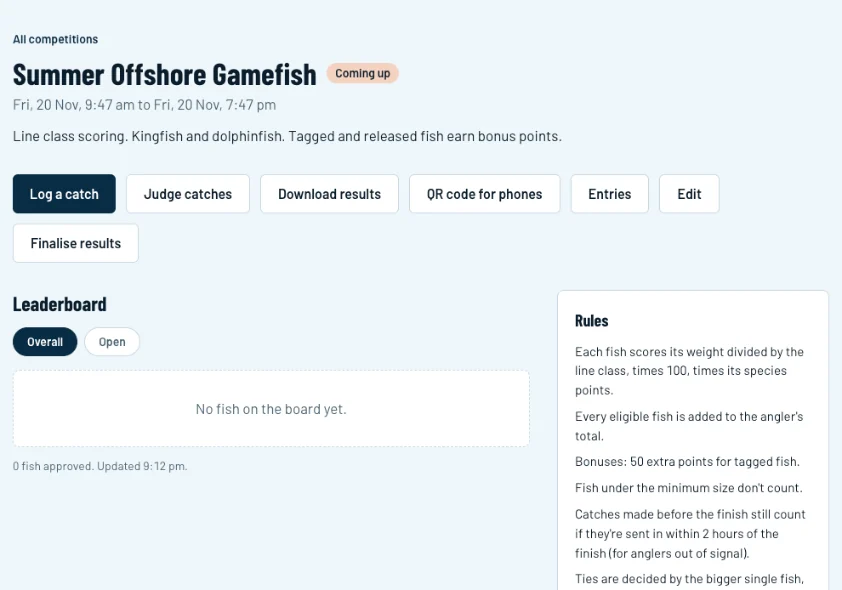
Click Competitions, open the competition, then click QR code for phones (1).
Swipe sideways to see the whole screen.Full size Step 2: Print the sheet or send the link
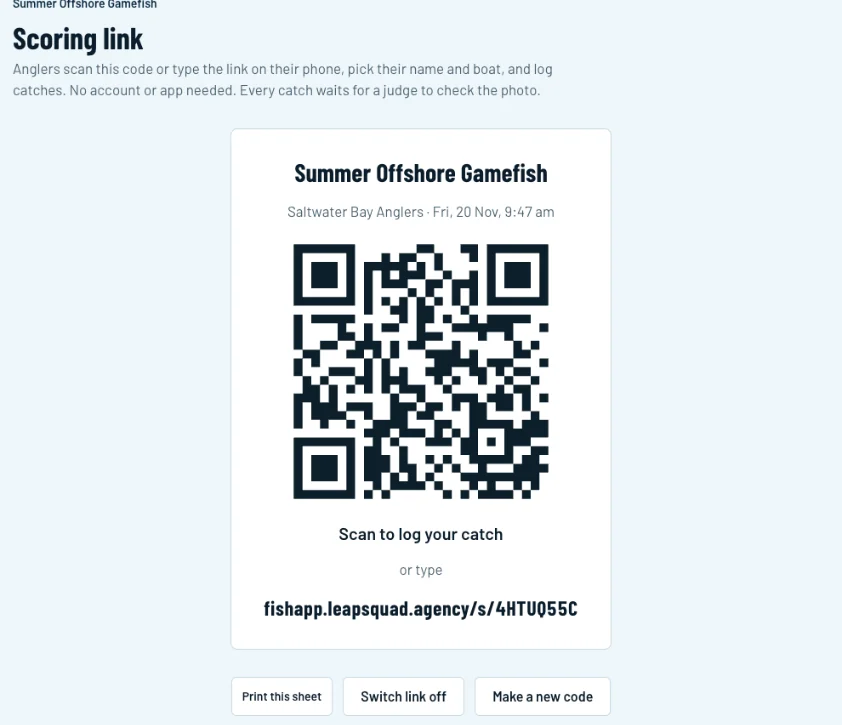
Anglers scan the code or type the short link (1) on their phone. Click Print this sheet (2) to put it up at the ramp or the weigh-in. To share it in your club's group chat, copy the link under Send the link in the club chat.
Swipe sideways to see the whole screen.Full size Step 3: What anglers do
They pick their name and boat, take a photo of the fish on the brag mat, choose the species, enter the length and tap Send catch. With no signal, the catch is saved on the phone and sends on its own later. Every catch waits for a judge to check the photo.
Step 4: If a code gets shared too widely
On the same page, Switch link off stops the code working, and Make a new code replaces it. The old QR code and link stop working straight away.