Competitions
Set up a competition
Create a comp in four short steps: the basics, how to win, which fish, and who's in.
Step 1: Start a new competition
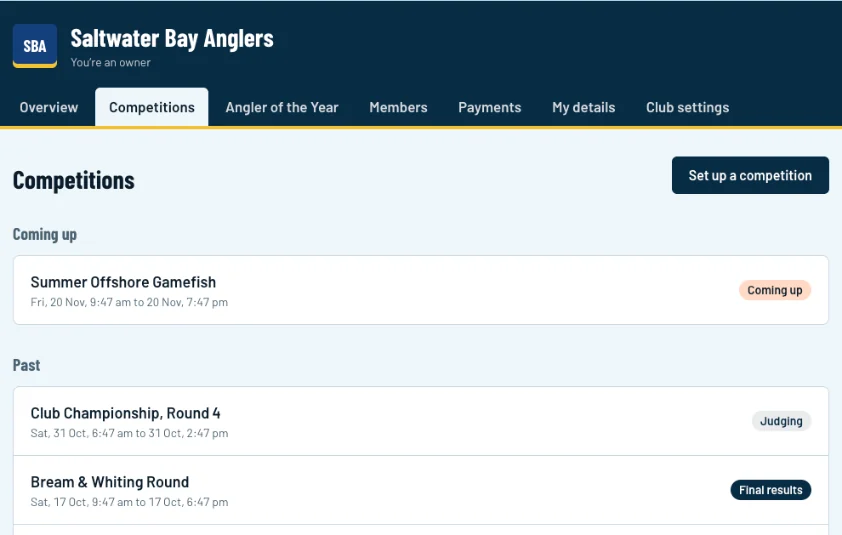
Click Competitions, then Set up a competition (1).
Swipe sideways to see the whole screen.Full size Step 2: The basics
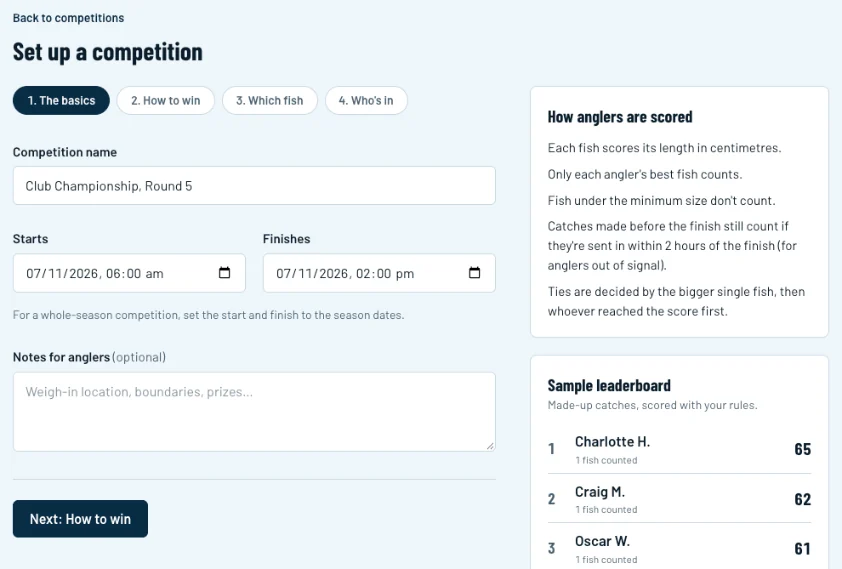
Give it a name (1) and set when it starts and finishes (2). For a whole-season competition, use the season dates. Add notes for anglers if you like, such as the weigh-in spot or boundaries. Click Next: How to win (3).
Swipe sideways to see the whole screen.Full size Step 3: Choose how to win
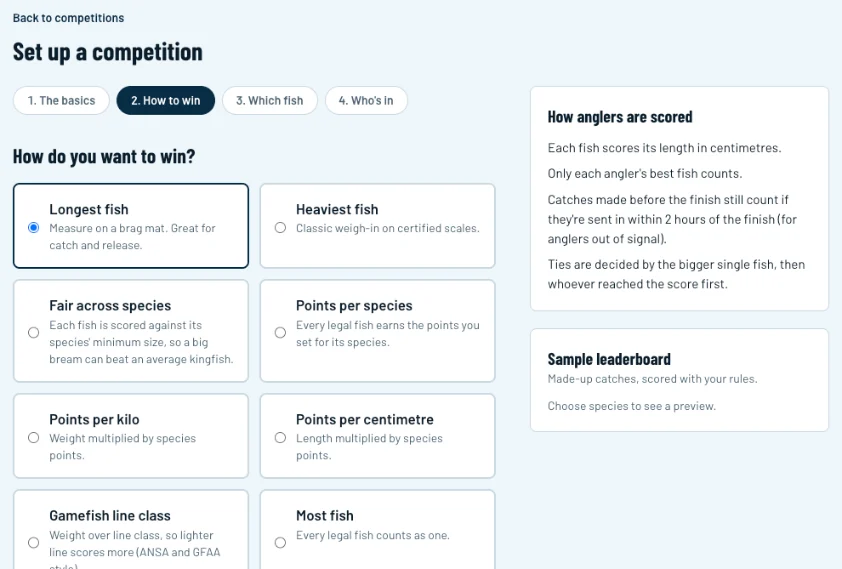
Pick a format (1): longest fish, heaviest fish, points per species, fair across species, line class, most fish, or your own formula. The panel on the right (2) explains the rules in plain words as you change them. Below the formats, choose which fish count: just the best fish, the best few, every legal fish, or the best of each species. Open Release rules, bonuses and ties for extras.
Swipe sideways to see the whole screen.Full size Step 4: Choose the fish
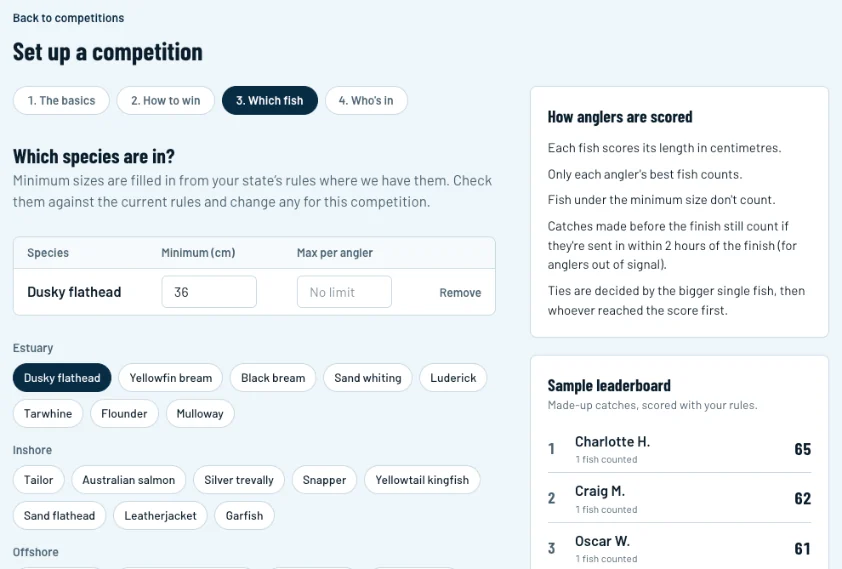
Tap each species that counts (1). Minimum sizes are filled in from your state's rules where we have them (2). Check them against the current rules and change any for this competition. The sample leaderboard (3) shows how made-up catches would score.
Swipe sideways to see the whole screen.Full size Step 5: Who's in
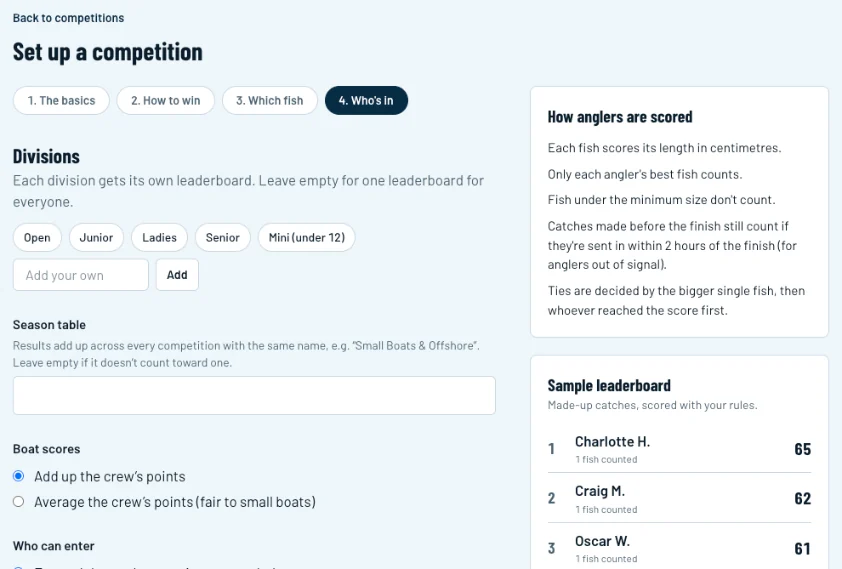
Add divisions (1) if you want separate leaderboards, such as Junior and Ladies. To count this comp towards a season table, give the season table a name (2) and use the same name on every comp in the series.
Swipe sideways to see the whole screen.Full size Step 6: Open it, or save a draft
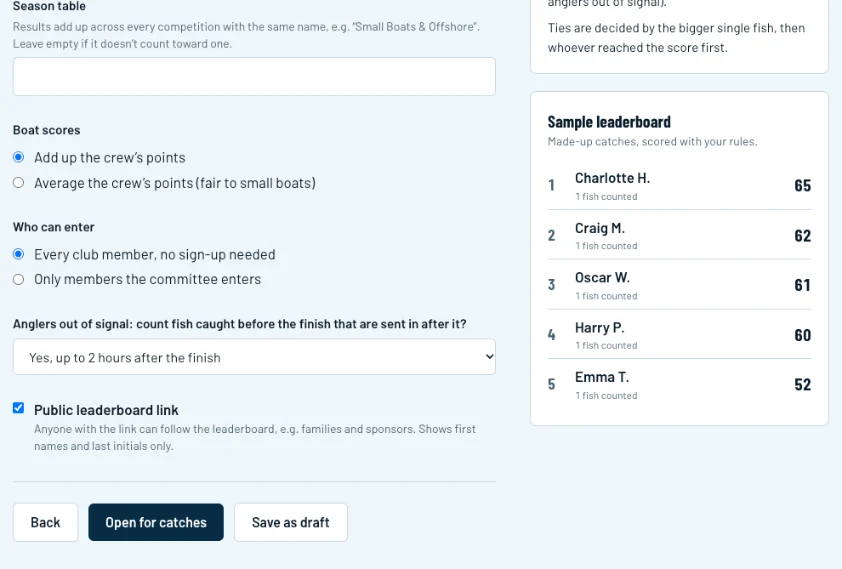
Choose how long after the finish to accept catches from anglers who were out of signal (1). Then click Open for catches (2) when you're ready, or Save as draft (3) to finish it later.
Swipe sideways to see the whole screen.Full size