Getting started
Set up your club
Add your logo, check your state and time zone, choose how the season table works and set your membership fees.
Step 1: Open Club settings
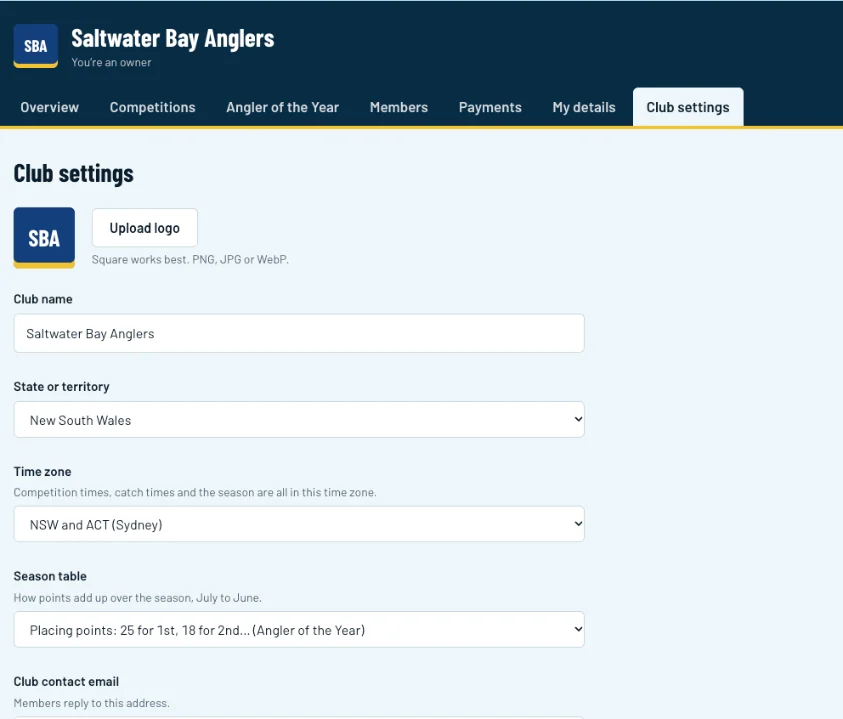
Log in and click Club settings in your club's menu (1). Upload your logo (2). A square image works best. Check the club name, state and time zone, as competition times and catch times use this time zone.
Swipe sideways to see the whole screen.Full size Step 2: Choose how the season table adds up
Under Season table (1), pick Placing points for an Angler of the Year table (25 points for 1st, 18 for 2nd and so on), or Total points to add up what each angler scores on every trip. Then click Save changes at the bottom of the form.
Swipe sideways to see the whole screen.Full size Step 3: Set your membership fees
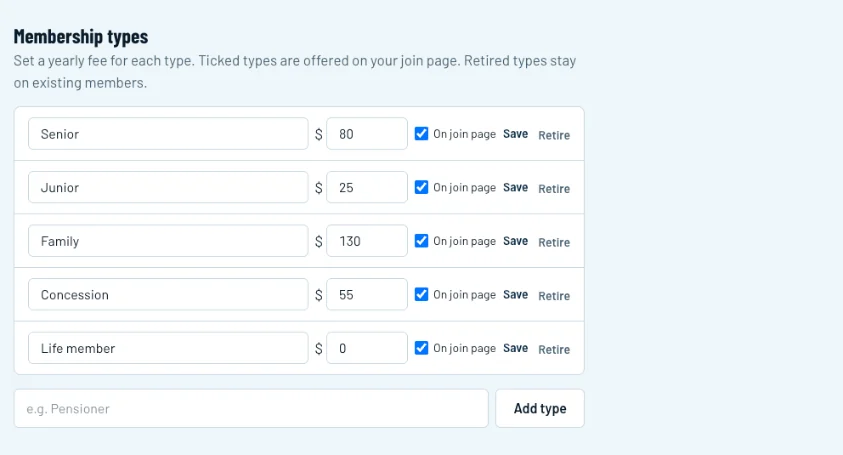
Scroll down to Membership types. Enter the yearly fee for each type (1) and tick On join page for the types new members can apply for, then click Save on that row (2). Add your own types, like Pensioner, at the bottom (3).
Swipe sideways to see the whole screen.Full size